
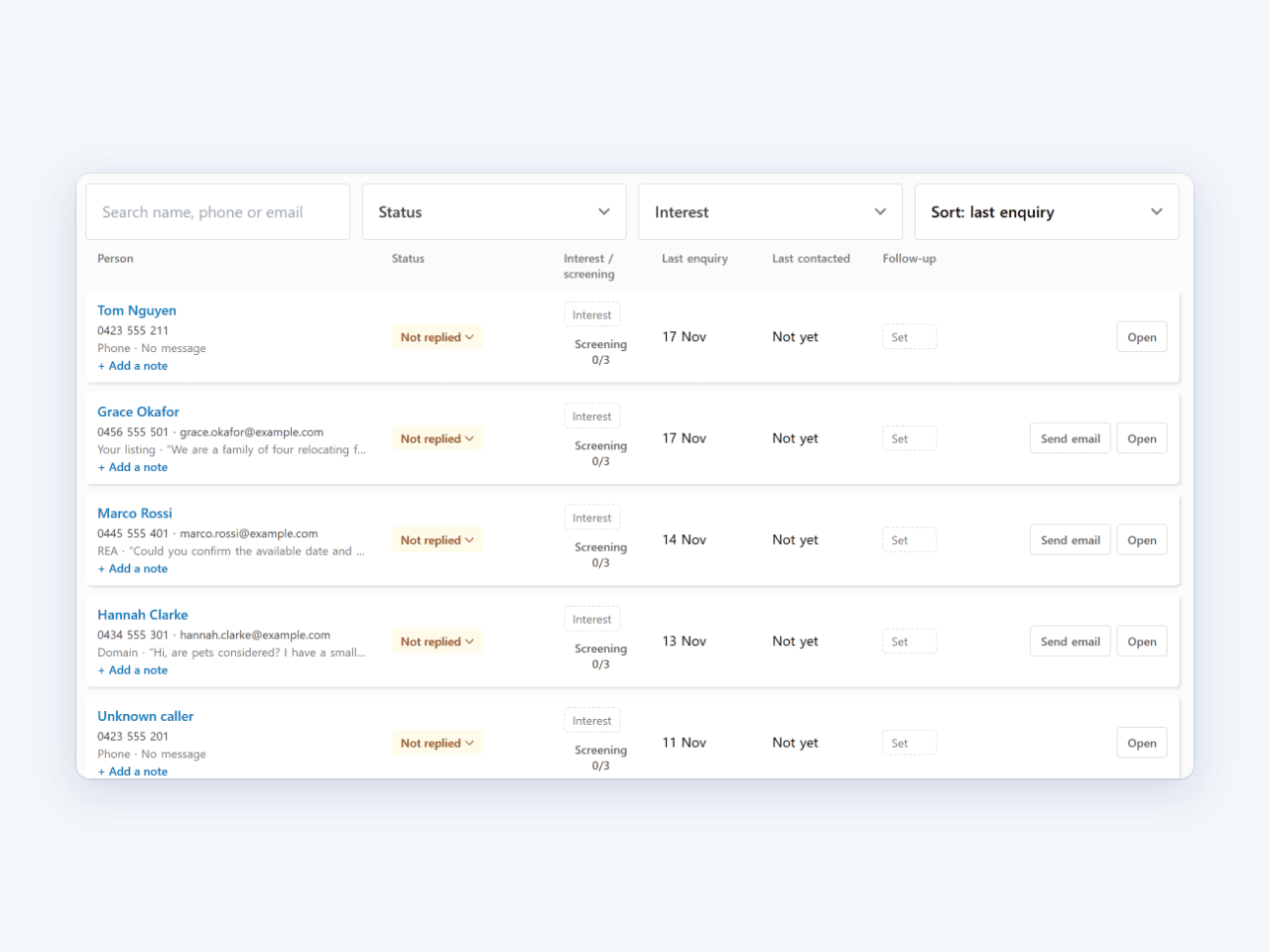
One list, one row per buyer
Enquiries arrive from everywhere. Someone emails through realestate.com.au on Tuesday, rings the enquiry line on Thursday and turns up to the open home on Saturday. In an inbox that's three unrelated messages. On your Enquiries page it's one person, with everything they've done underneath their name.
Phone enquiries land there too, so the person who rang is sitting in the same list as the person who emailed.
What the Enquiries page does

One list, one row per buyer
Enquiries from every portal are grouped by person automatically, so someone who enquires three times is one row, not three. Add anyone who rang or was referred, in seconds.

Never forget a follow-up
Set a follow-up date on anyone. When it's due, it's flagged on your Enquiries page, ready to snooze or mark done in one tap, and it's listed in your Monday email.

Notes that stay with the buyer
Keep your notes and what each buyer told you in one place, next to their inspections, offers and every enquiry they've sent.

See who to call first
Filter by Not replied, Follow-ups due or Hot, so the buyers most likely to sign are always at the top.
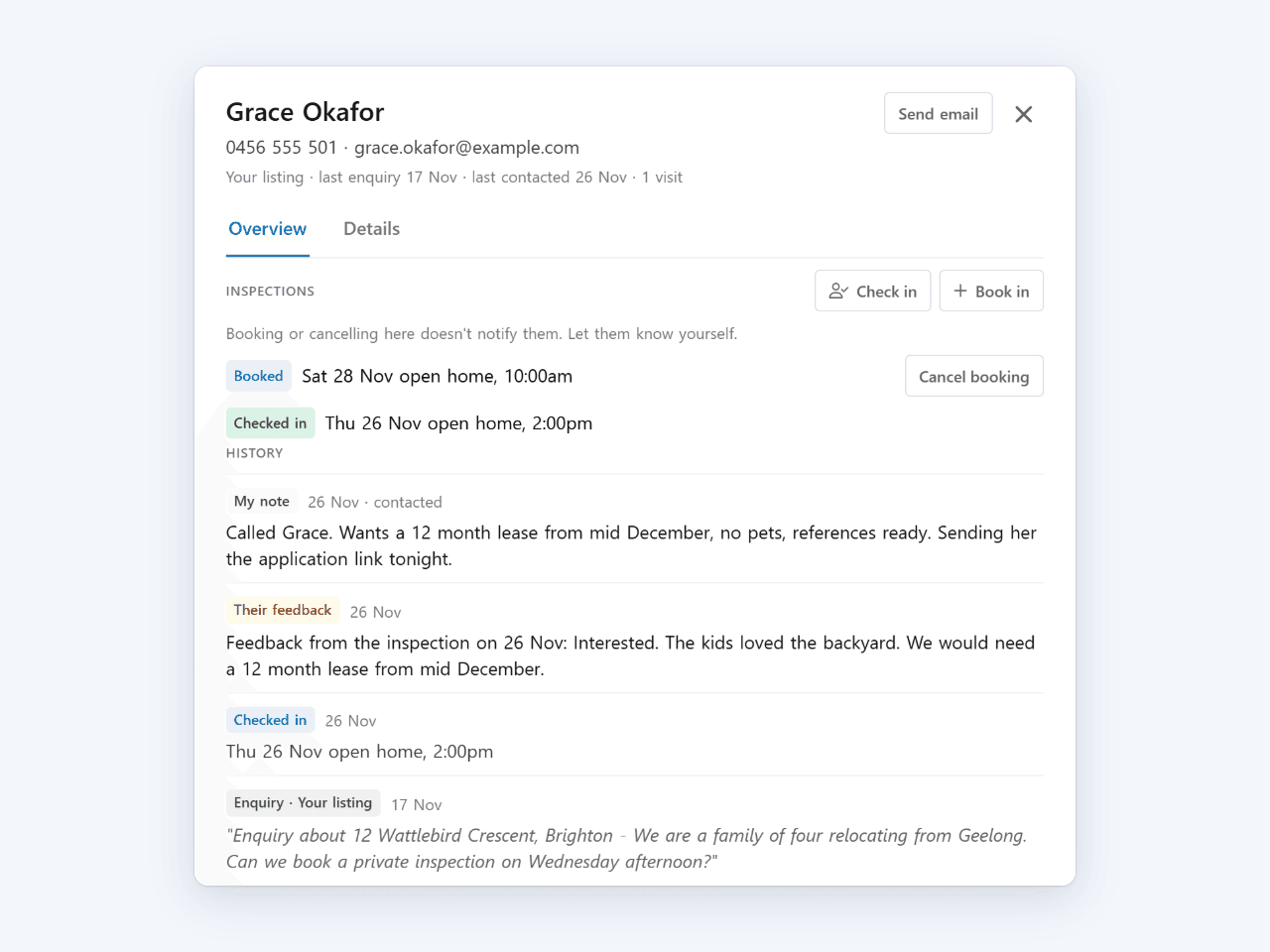
Statuses that look after themselves
When a buyer books an open home, comes through or makes an offer, their status updates by itself. You mark the parts only you know, like who you've replied to and who's worth chasing, and the rest keeps up with you.
Renting out instead? Every enquiry, inspection and application is grouped by tenant, so you can see at a glance who's applied, who's had a tenant check and whose references you've checked, then approve with confidence.