
Organize Your Portfolio in Seconds: A smarter way to manage the paperwork that keeps your investment running.
Upload & Categorize
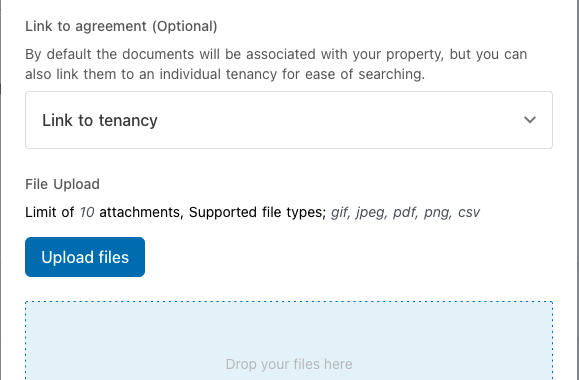
Drag and drop single files or use Bulk Upload for up to 10 documents at once. The system automatically categorizes files based on their title—from Tenancy to Financial.Track Key Timelines
For critical documents like Smoke Alarm or Pool Safety certificates, you can set a visible expiry date. The vault keeps these dates front-and-center so you can monitor your compliance at a glance.Share with Confidence
Toggle visibility to share specific documents—like equipment manuals—directly with your tenant’s portal, while keeping private files for your eyes only.Documents that file themselves.
Experience a vault that organizes itself. The moment a property is leased or an inspection is finalized, the system automatically syncs the signed Lease Agreement, the successful Tenant Application, and your Condition Reports directly into your storage. It ensures your most critical legal documents are always where they belong, without you lifting a finger.
Clear your desk in seconds.
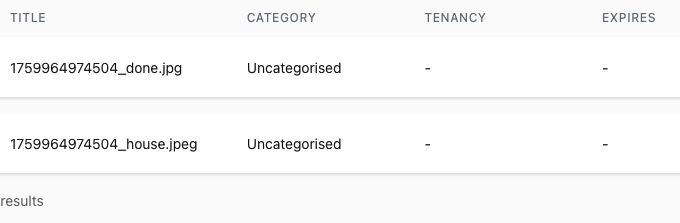
Don’t let paperwork pile up. Use the Bulk Upload tool to drag and drop up to 10 documents at once. The system saves them as “Uncategorised” so you can get them off your desk instantly and move on with your day—you can always categorize or link them to a tenancy later.
Find any file, instantly.
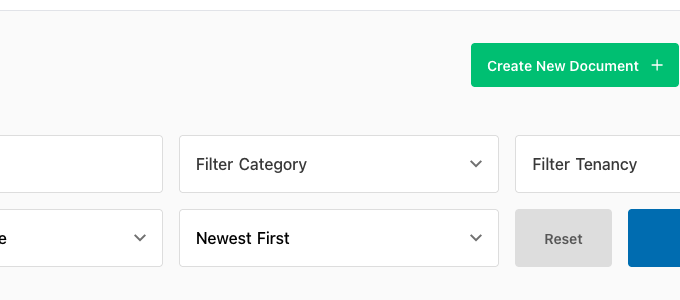
Stop scrolling through endless folders. Our powerful Filtering System allows you to isolate documents by category—like Compliance, Financial, or by Tenant—or use the free-text search to find a specific title. Whether you’re looking for an old bond receipt or a current insurance certificate, it’s always just one click away.
Empower your tenants, save your time.
Reduce the “Where is the…?” messages in your inbox. With a simple toggle, you can make any document—from appliance manuals to house rules—visible to your tenant in their own secure portal. It builds trust through transparency and ensures they always have the info they need at their fingertips.
Everything you need for an audit-ready portfolio.

Integrated Tenant Sharing
Use the visibility toggle to instantly share specific documents—like manuals or house rules—directly to the tenant’s private portal.

High-Volume Bulk Upload
Save time by dragging and dropping up to 10 files at once. The system automatically stores them as “Uncategorised” so you can sort them later.

The "Big Three" Auto-Filing
The system automatically identifies and files your signed Lease Agreement, Successful Tenant Application, and Condition Reports.

Smart Categorization Engine
Select from a predefined list of property titles (e.g., “Smoke Alarm Certificate”), and the system will automatically sort the file into the correct management category.

Visual Expiry Tracking
For compliance-heavy documents like Insurance or Safety Certificates, you can set and display expiry dates to monitor renewal timelines at a glance.
Contextual Document Linking
Keep your records organized by choosing to attach documents to the overall Property level or a specific, individual Tenancy period.