Our Smarter Inspection Workflow.
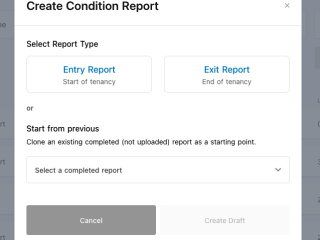
Auto-Generate & Customize
We automatically detect your property’s location and load the exact template for your state. Easily remove any rooms you don’t need, or clone your last property condition report to save hours of data entry.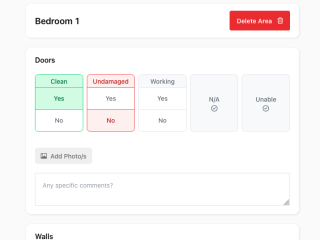
Inspect, Snap & Comment
Walk through your property with your device marking items as Clean, Undamaged, and Working. Snap photos directly from your device to create bulletproof visual evidence and add any comments you need.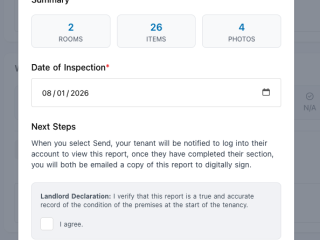
Review & Digitally Sign
Click send and sign. Your tenant receives a signed condition report and a secure link to review and add their own photos, or tap “Agree All.” Once complete, a finalized PDF is generated, digitally signed, and securely stored for both you and your tenant.100% Compliant in Every State.
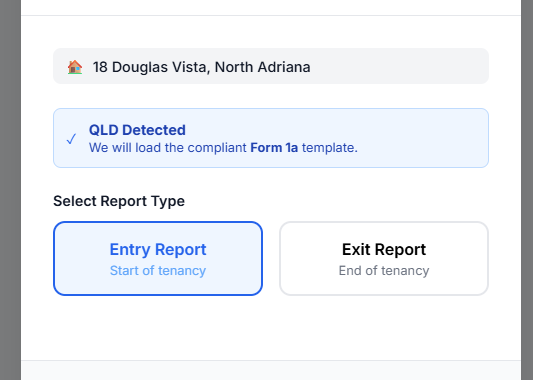
You don’t need to hunt down the right government forms. Whether you need a QLD Form 1a or a NSW Condition Report, PropertyNow automatically generates the prescribed digital condition report template for your exact jurisdiction. Start with the standard rooms, and easily add or delete areas to perfectly match your property’s layout.
Bulletproof Photo Evidence.
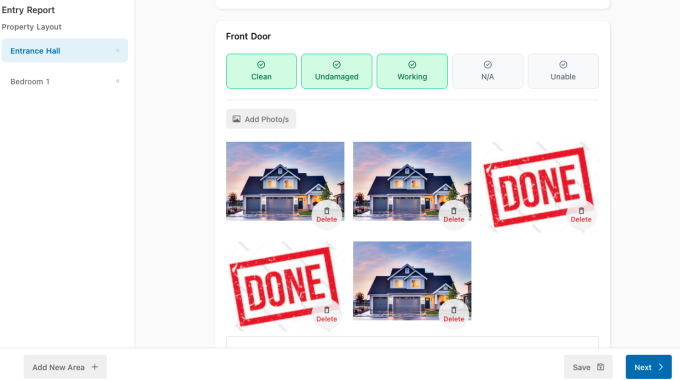
Prevent “he-said, she-said” bond disputes before they happen. Don’t just rely on text descriptions—snap pictures directly from your phone while you walk through the property. Our system attaches your photos directly to the specific room and item, providing undeniable evidence of the property’s exact condition at move-in.
Fast Track Your Reports With Smart Cloning.
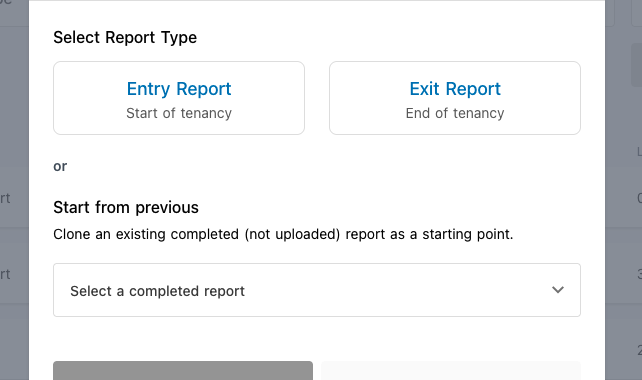
We know you value your time. If you have an existing tenancy, you don’t have to start from scratch. Use our “Clone” feature to duplicate a previous condition report in seconds. Already have a completed paper report or a PDF from another app? Simply drag and drop it into your dashboard to keep all your compliant documents securely stored in one place.
Everything you need for a compliant inspection.

Smart Template Formatting
We preload the standard rooms for your specific state. Just hit delete on the areas that don’t apply to your property and you’re ready to go.
Mobile-Optimized Walkthroughs
Conduct your entire inspection on the go. Log details, drop comments, and attach photos without ever needing a computer.
Automated Legal Handover
Once your walkthrough is complete, digitally sign the report to instantly deliver the legally required signed copy to your tenant’s portal.

One-Tap Tenant Approval
Tenants review your signed copy, add their own photos or comments, and simply hit “Agree All” on their mobile device to legally sign off.

Master Checklist Sync
The moment the fully executed report is signed by both parties, our system automatically ticks it off your central landlord onboarding tracker.

Permanent Cloud Storage
Never lose a report again. All your finalized PDFs are securely stored in your dashboard forever, along with full size photos, ready to be retrieved instantly.